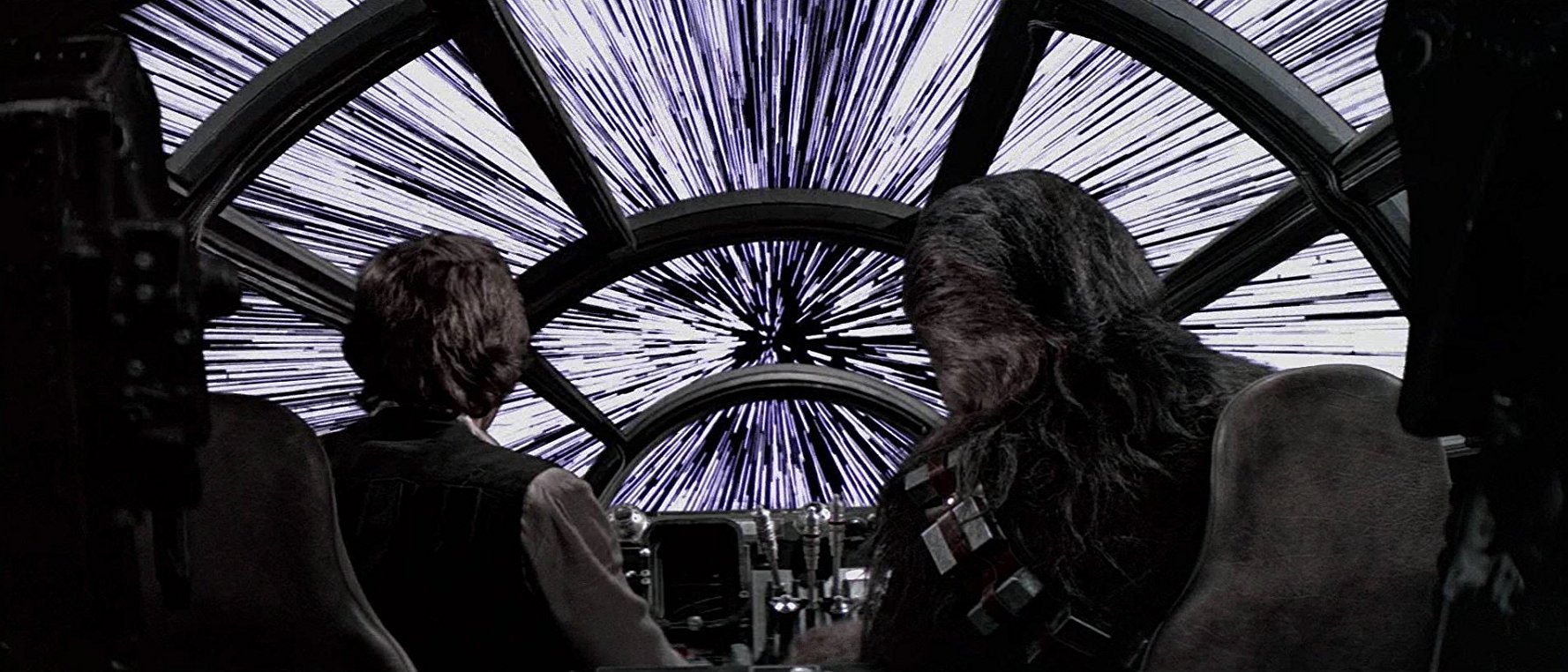
Image from IMDB
Want to boost your film's production value without spending a fortune? Special effects can help! Contrary to popular belief, special effects don't have to break the bank.
Sci-fi films have long been at the forefront of the special effects industry, so we'll look for inspiration for these low-budget effects from some of the most iconic sci-fi/space-themed movies. Then, with the help of some YouTube DIYers, we’ll show you how to create each of these effects.
The opening sequence of Star Wars: A New Hope was created using detailed miniature models and forced perspective. Forced perspective is an optical illusion created by placing your camera at certain angles and distances from a scaled object. By doing this, you can manipulate the viewer's vantage point, making them believe that adjacent objects are either farther away, closer, bigger or smaller. As you can see, the effect can be very convincing. Though Vader’s Star Destroyer was a little over 2 feet in real life, it looks like a looming monolith in this sequence.
Models add a sense of realism that CGI (especially CGI from the late 1970s) can't quite capture. Lucas’ special effects house, Industrial Light & Magic, invented new effects and techniques as they were working on production in order to bring Lucas' futuristic vision to life. Many of the scaled model effects have aged gracefully and still hold up in the eyes of today's audiences.
You should have no trouble finding real footage of spaceships orbiting planets in the NASA archives, but you still may want to build some of your own models so you have more control over the story.
Here's a video by Joke and Biagio that playfully demonstrates all the ways you can apply forced perspective to your advantage:
Keep in mind that in order for the illusion to work, both the foreground and background must be completely in focus, so you will need to shoot at a much higher f-stop. Lastly, forced perspective is only as convincing as the models you create.
Ever wonder how movies like Apollo 13, 2001: A Space Odyssey, and Interstellar capture the weightlessness of space? It turns out there are a number of ways to do this, some cheaper than others.
On Apollo 13, Ron Howard actually shot in space. Why? Because he's Ron Howard.
He and his crew flew up in NASA’s KC-135 airplane (aka The Vomit Comet) - the same plane used to acclimate astronauts to zero gravity - and with each nose-dive, he and his crew had 45-seconds to shoot a single scene before they were catapulted back to the ground. Here's some behind-the-scenes footage of this wild ride:
This is clearly not a cost-effective way to replicate zero gravity, so here are four cheaper ways to do it:
Even on big budget movies like Inception or Interstellar, Christopher Nolan still has an unwavering devotion to practical effects, preferring to do most things in-camera. In Inception’s famous zero gravity fight scene, the stuntmen are jumping around a rotating set. YouTuber, Justin Fredrick Clark, shows us how he recreated this effect for $350.
In Stanley Kubrick’s 2001: A Space Odyssey, zero gravity makes a few interesting cameos. One of the most memorable is when the stewardess plucks a floating pen in front of the camera. This is a simple, yet highly effective illusion that helps establish the mechanics of the world.
According to this video, all you need is some double-sided tape and some plate glass.
Fun fact: 2001: A Space Odyssey premiered 3 months before Neil Armstrong landed on the moon.
We came across this super low-budget approach to zero gravity on YouTube called "Earth to Meekus". Watch how Justin and his team use camera angles and commonly found props to humorously replicate this effect.
And of course, Adobe After Effects can make any object float. Watch this tutorial by SounduckFilm:
The eerily captivating Stargate sequence in 2001: A Space Odyssey was created using slit-scan photography.
Animator John Whitney pioneered this technique to create Vertigo’s opening title sequence. To achieve this effect, the camera should be focused on a narrow slit. Behind the slit is a board of colorful materials. The camera should be rigged to move along with the slit as it glides over the materials. John Hess, from Filmmaker IQ, walks us through how to setup this technique using LEGOs.
The Star Wars lightspeed effect is easy to create and light on the wallet. All you need is Adobe After Effects and a couple minutes to watch this tutorial.
Your film may end up taking place in a space shuttle, which means you'll need to build some convincing interiors. First, decide how much of the ship's interior the audience is going to see. From there, you can figure out how much of the set you'll need to build.
For building a spaceship corridor, check out William Jakespeare's post:
For creating a cockpit and mission control center, check out this great tutorial from The Propmaster's Handbook on making mission control panels.
We hope your wheels are spinning for how you can incorporate realistic effects into your work. If you come across any other helpful tutorials, leave them in the comments section below for your fellow filmmakers.
Filmmakers are working with the world's biggest brands on Tongal.