In our ongoing effort to improve the user experience at Tongal, we’ve launched some great new website features that we think will really streamline the way you interact with the Tongal website and all of our Projects.
Here’s a quick overview of the changes:
Website Header: Our header has been redesigned in an effort to make it simpler and more functional. Each of the links across the top of the page will take you to those sub-pages – the Tongal logo (the Home Page), Projects, Gallery, Leaderboard, and About (How Tongal Works plus quick links to our blog and social media). In the upper righthand corner, you’ll see a new Help link. This will take you to the Forums where you can chat with other community members. And, by clicking on your name in the upper righthand corner, you’ll have access to your Profile Page (previously “My Tongal”).
Home Page: The new Home Page has been live for a while now, but as a seasoned Tongaler, you might not have even noticed it. These pages give an overview of Tongal and our process both for Creatives and Brands. Check out some of our new features like these Success Stories and this step-by-step walkthrough of How Tongal Works.
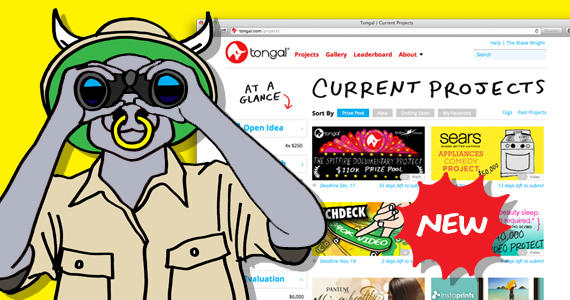
Current Projects Page: One of the biggest visual changes you’ll notice is the updated Current Projects Page. Just like before, this is where you’ll check out all of the current open Projects on Tongal. There is some new functionality here, including the option to add Projects to your Favorites. To add a Project to your list of Favorites, click on the gray star icon underneath the Project banner – it will turn red. Then, to view all of your Favorites, click on the My Favorites button along the top of the Projects list.
TIP: The widget on the lefthand side shows you which Projects are open by Phase, so if you’re looking for Projects that are in a specific Phase, click that heading.
Project Details Pages: Like before, each Project has its own dedicated page on our website. From this page, you’ll be able to access the Project Brief and any Assets provided by the Sponsor, check out and participate in the Project Forum, and submit to the Project.
TIP: The timeline at the top of the page beneath the Project banner shows an overview of the schedule for the Project. Check here to see the progress of the Project and confirm any relevant deadlines.
As always, please do not hesitate to reach out to us if you have any questions or concerns at help@tongal.com. And, we’d love to hear any feedback you may have as well as ideas for future website improvements at feedback@tongal.com.