

Stop-motion animation, one of the most accessible types of animation to do, yet simultaneously the hardest to perform. On paper, it looks easy; Just grab an object, get a camera, and snap some photographs of it moving bit by bit. Once compiled, the images look like the object is actually moving.
Well, there are a few other factors that you have to account for when doing such animation: lighting, staging, puppet fabrication, having a good camera, and most importantly having a camera rig! To best explain how this works, I’ll walk you through how I created a small bumper featuring a black-and-white logo.
The goal was to create the rig and the animation on as little of a budget as possible. No fancy software, no expensive studio camera, no elaborate stage, no realistic puppets.
Here’s what you’ll need:
- Smartphone
- One of the plethora of FREE stop motion apps (Ed. Note: Stop Motion Studio Pro is highly rated on iTunes!)
- A cardboard box
- Box cutters
- Masking tape
- Scissors
- Paper
- A desk lamp with a bendable neck
- A small mirror (optional)
- Your imagination!
Always be careful with the box cutters and scissors! Everyone suffers for their art but try not to suffer needlessly.
Here’s an example of what we’re building:
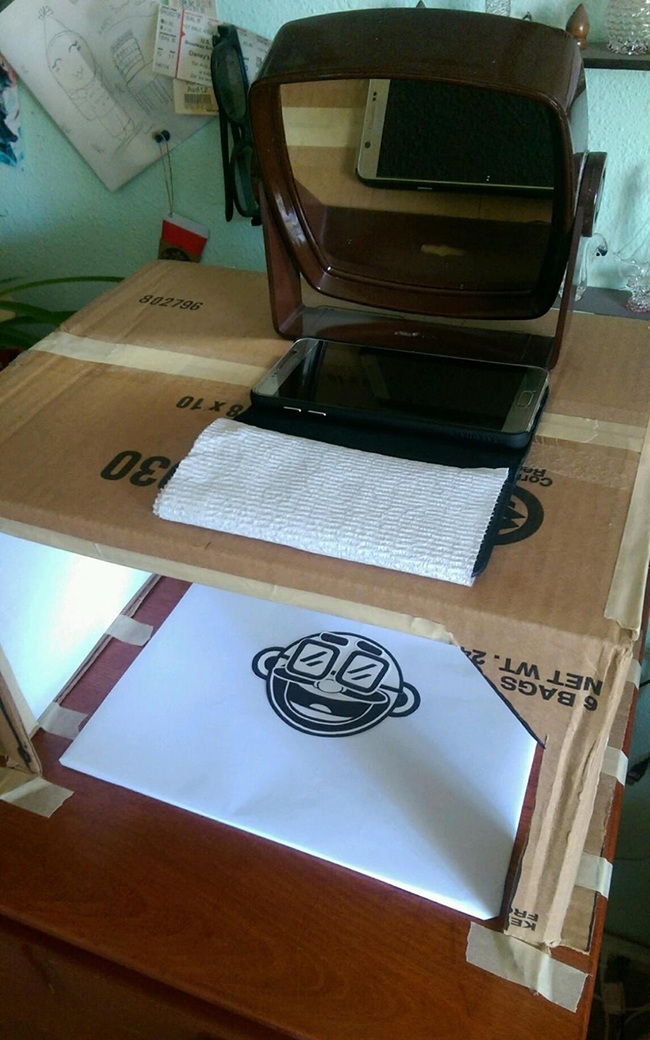
Okay, so if you’ve got a smartphone, you’re halfway there! In the App Store, there's a multitude of different apps to choose from. With a quick search and some testing, you’ll find one you like and that’s easy to use. After camera and software, next you’ll need a stage.
Using the box cutters, I carved out a small cardboard box, made a hole on top for my camera to sit on and taped the whole thing to an empty space on top of a dresser, turned my desk lamp inwards, and voila! I did have to make up for the lack of light by taping sheets of white paper to the open sides of my box. It helps the light reflect back in and makes the stage brighter.

The top hole should be just big enough for the camera to see through without seeing the box, but small enough to not let your phone fall through.

Here's the poor bendy light doing its best. Again, pay no mind to the junk. Just goes to show, you don't need a fancy studio to do something awesome.
Down shooters are all about letting gravity do the heavy lifting for your animation. By using paper, you can create as intricate of a puppet you like. Here, I used copy paper and a simple sharpie. Then I cut out our puppet.
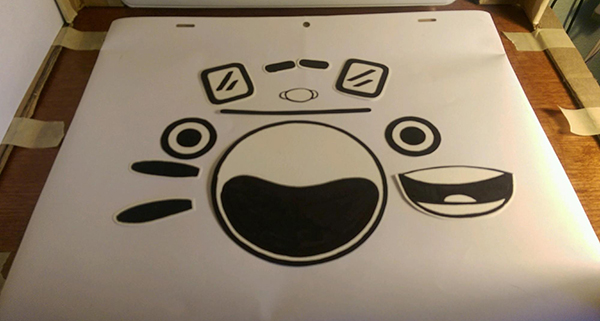
Our logo puppet laid out in separate pieces.
Now comes the animation part: Moving things piece by piece, photo by photo. To keep from having to stand up repeatedly to check the animation, I placed a mirror on top of my stage, angled so I can see my screen while sitting below it. Then after a few accidental breaths on the puppet, a sneeze (and subsequently having to search for the puppet nose for 20 minutes afterwards), it went pretty smoothly!
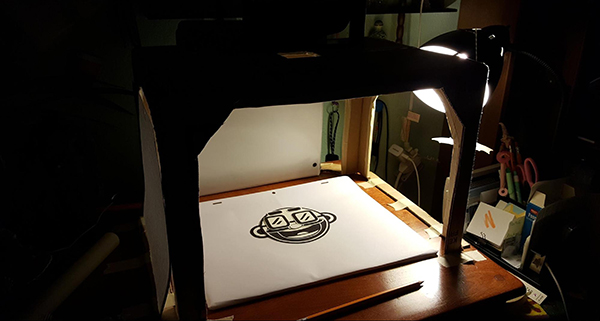
The result after everything is ready to go and things are sufficiently dark enough to have no external lighting come through.
And now you can see the final result. All from creating a quick DIY “Classic Down Shooter.” This total project, depending on your craft skills and access to materials, should potentially take just a couple hours to do. Once you’re done creating the camera rig you’re free to go crazy and make even more outstanding animated shorts. Happy animating!